What Is Design Intent and How It Can Speed Up Your Design Process

Has it ever happened to you that you finished your CAD model successfully but were later required to modify it? As you change one dimension, your whole model seems to transform, or errors start to appear, and now you have to find these mistakes or start all over again. If this sounds familiar, you might have yet to establish your design intent before starting your model.
What is Design Intent
The design intent refers to the way your model behaves when modified. It would help if you always took a moment to consider your design intent before starting your modelling process, as it will save you from many difficulties down the line. This blog will present key considerations for clearly defining your design intent and avoiding future mistakes.
A typical example of a design intent:
- I need a hole of x cms in diameter positioned from the corners at a distance of y cms.
In other words, it is expected that no matter in what way the design of the product changes, the specifications for the hole shouldn’t. So then, how do we make this possible?
Use Relations Whenever You Can
When designing a sketch, avoid using dimensions if you can use relations instead. Relations will not only make your sketch adapt automatically to any future changes but will also reduce the number of dimensions you will require to fully define your sketch.
-
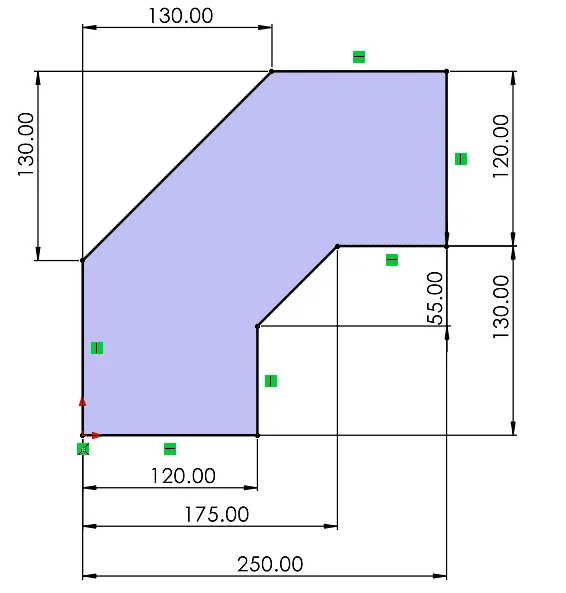
- Fully defined sketch with dimensions
-
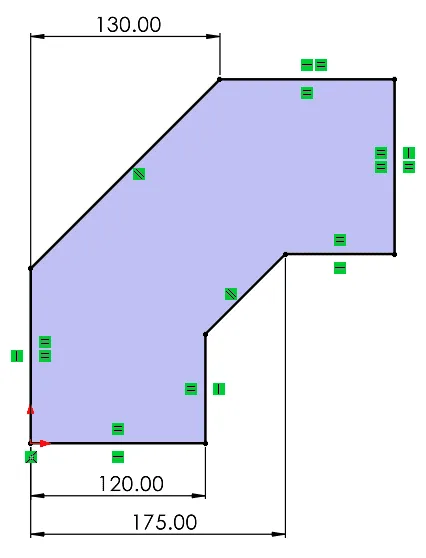
- Fully defined sketch with dimensions and relations
What is the Right Way to Add Dimensions?
There are multiple alternatives for adding dimensions to a sketch. However, keep in mind how your geometries could vary in the future and how you want these changes to look. For example, the following figures present the same fully defined sketch but use different dimensions.
-

- Option A
-

- Option B
Let’s say you want to modify the 150mm length dimension of the Rectangle. If you intend to maintain the exact distance between circles, you should use option A. However, if you want to keep the same distance from the circles to the square’s edge, you should use option B.
In other words, think about what is really expected to happen to the circles/holes when the rectangular dimensions change? Translate the requirement to a dimension or a relation as needed.
Choose the Best Profile
When extruding the first profile of your part, make sure to choose a profile that will generate the largest geometry of your model. This way, you can use relations in future sketches that refer to this geometry.
-

- Part
-
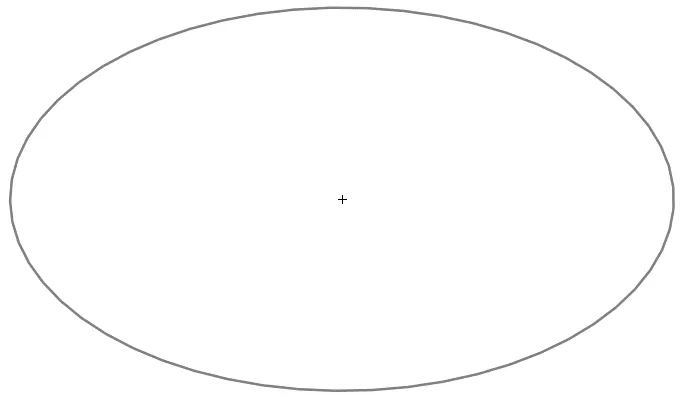
- Extruded Profile
-
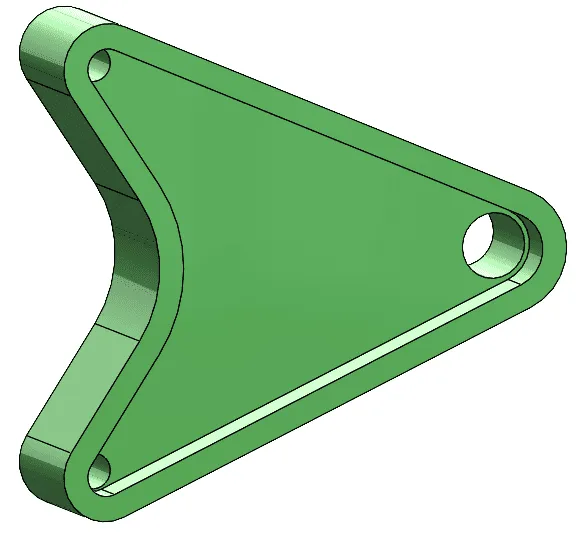
- Part
-
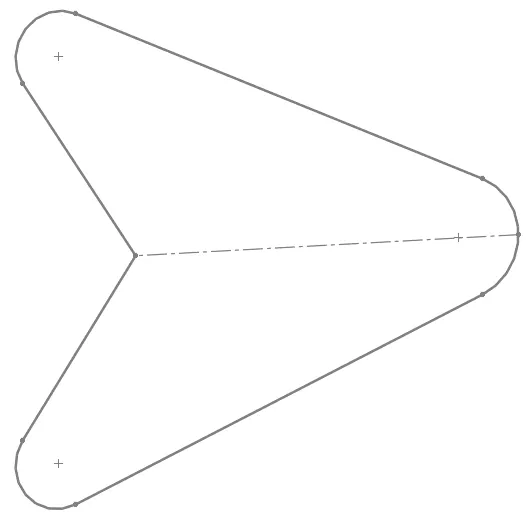
- Extruded Profile
Use the appropriate features for the job
There are three different approaches you can use to create your part. Each provides its advantages and disadvantages. Before extruding your sketch, consider which approach you should use to create your piece according to future modifications your design might experience.
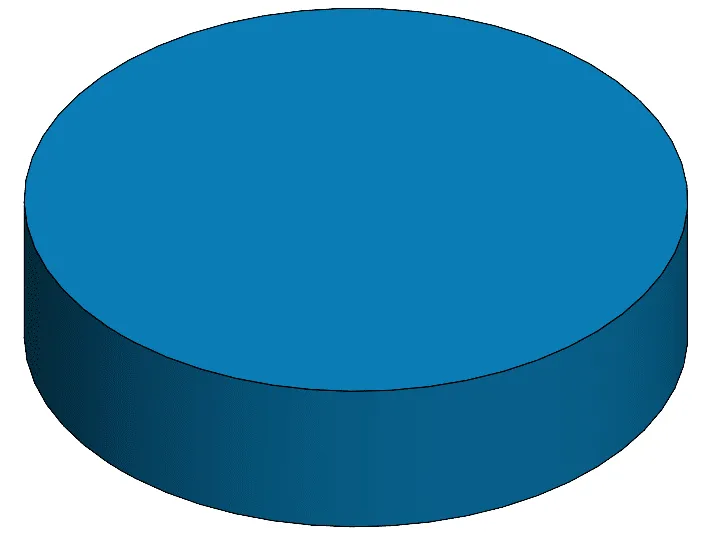
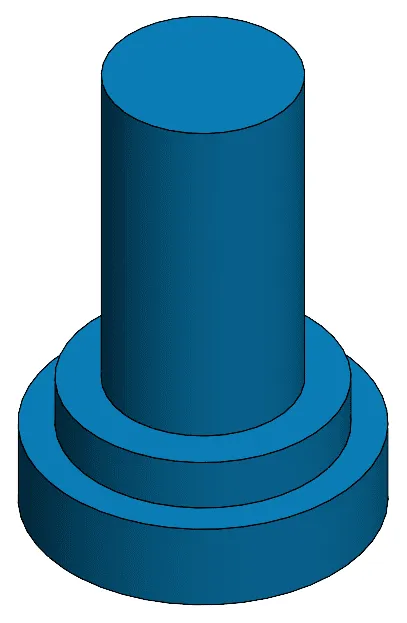
The Layer Cake Approach: This approach adds one piece at a time, building each new feature on top of another. This can help you quickly access each feature individually in your design tree. Nevertheless, keep in mind that altering one element could have a ripple effect on the layers created after it.
-
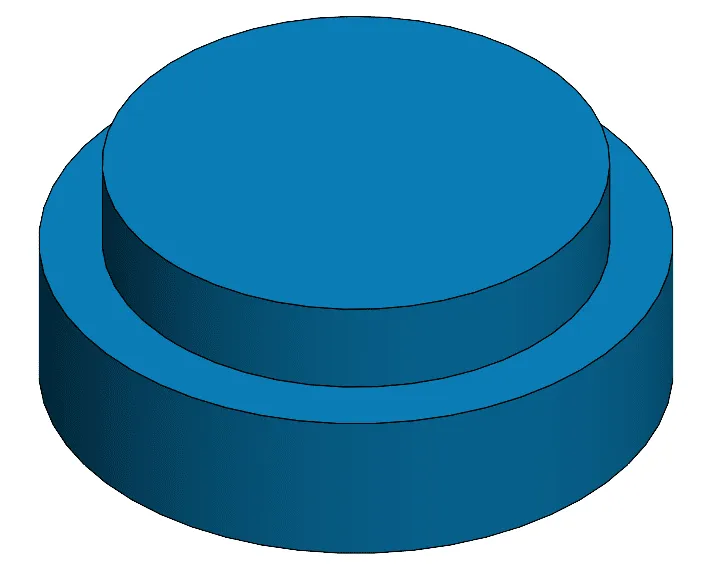
- The Layer Cake Approach
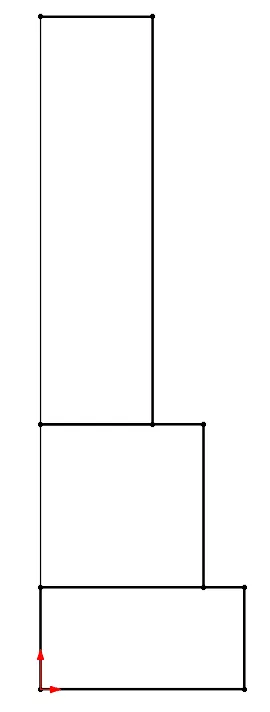
The Potter’s Wheel Approach: This approach builds the part as a single revolved feature. It uses a single sketch containing all the geometries and one single operation. This approach is very time effective. However, it cannot be used for all geometries and could limit the flexibility of your future changes.
-
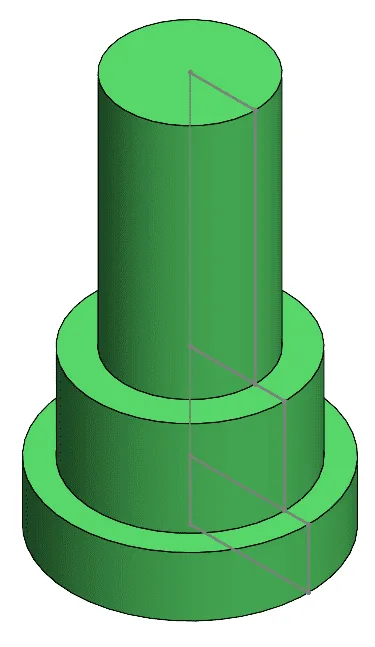
- The Potter’s Wheel Approach
The Manufacturer’s approach: This approach starts with a single block of material which is then shaped into its final form by a series of cuts. This approach could help you mimic the way a part is manufactured and find any design errors in this aspect. However, it could add some complexity to future alterations as well.

The Manufacturer’s approach
Finally, you should also seek to use convert entities, mirrors, and patterns when possible. By using these features, any change you make to the referenced geometry will automatically be adjusted to the elements created by these operations.
So, remember always to take some minutes before you start designing your models to think about your design intent and future changes that your models might experience. Go over the tips mentioned in this blog, and you will avoid many headaches down the line.

Related Software
SOLIDWORKS
SOLIDWORKS 3D CAD software includes design, simulation, technical communication, and data management features. Powering innovative design with specific tools that help you work more efficiently so you can make better design decisions.