By
By Searching for the right CAD program can be tricky, and since it is a tool that you’ll be investing in and living with, you want to make sure you’re making the right decision for your team. Both CATIA and SOLIDWORKS are industry-leading platforms from Dassault Systèmes, but they serve very different needs, industries, and workflows.
This practical CAD comparison guide explains when to choose CATIA vs SOLIDWORKS based on design needs, industry standards, complexity, and team skills.
CATIA vs SOLIDWORKS: What’s the Difference?
Finding the right CAD tool is similar to choosing the right car; you need to know how it performs, who uses it, how complex your needs are, and how much you are willing to invest.
The key differentiators:
- Design philosophy (parametric vs advanced surface modeling)
- Industry preference
- Data management
- Complexity and scalability
- Compatibility with other tools
There are a multitude of CAD systems to choose from. Make sure to ask partners and other businesses that you will be working with what tool they’re using, especially if you will be sharing CAD files with them.
Who uses CATIA?
Founded by Dassault Systèmes in 1981, CATIA was focused on 3D surface design in the French aerospace industry. Since then, it has evolved into a program with a wide variety of tools used for design, styling, project engineering, and systems engineering.

CATIA is heavily used in:
- Aerospace
- Automotive
- Defense
- Large OEMs and multi-tier suppliers
Most major aerospace, automotive OEMs, and select suppliers from all tiers are using it for mechanical, electrical, and fluid systems design and styling.
Who uses SOLIDWORKS?
SOLIDWORKS is also owned by Dassault Systèmes and was founded in 1993 with the purpose of making 3D CAD more accessible. It is one of the most commonly used CAD tools by professionals and businesses of all industries and disciplines because it is:
- Easy to learn
- Cost-effective
- Extremely versatile
- Supported by a large ecosystem of add-ins.
SOLIDWORKS has a large suite of add-ins to go along with mechanical CAD, such as Simulation (FEA and CFD), Electrical Schematic design, Composer for assembly instructions, Visualize rendering tools, and more.
This makes it ideal for manufacturers, product designers, machine builders, small to mid-sized companies, and teams needing a fast, efficient 3D CAD tool.
Modeling Capabilities: How They Compare
Both platforms are powerful, but each shines in different situations. Many design tasks can be done equally well in either system, but complex applications reveal their specialties. A commonly used adage comparing the two is that CATIA is for designing cars, and SOLIDWORKS is for their components.
CATIA is a sophisticated and powerful tool for sketching, drawing, and modeling. Although there is a larger learning curve for using it, you can achieve rewarding designs with accuracy and precision. Where CATIA shines is with its advanced surface modeling tools.

SOLIDWORKS is an industry-dominating program with a wider spread of designers and industries than CATIA. With an intuitive UI and design tools, SOLIDWORKS follows the designer as they create features and is smart enough to do the heavy lifting for you. SOLIDWORKS is designed to be intuitive and provide you with the most efficient workflows available at your fingertips. They have perfected their focus on parametric modeling, and it is ideal for machinery-related projects.
Collaboration
Interacting with other products is important since modern businesses have many other tools implemented for operations. When looking at CATIA and SOLIDWORKS on the 3DEXPERIENCE platform, Dassault Systèmes has made it clear that having the two integrate with a centralized hub is a main priority for operating on the cloud.

The CATIA and SOLIDWORKS file formats on the platform are designed to eliminate disconnect from other apps in the platform, so there’s no need to translate between the applications. Outside of the 3DEXPERIENCE platform, CATIA has a PDM Workbench (PWB) for CAD-Specific PDM functionality, as SOLIDWORKS has SOLIDWORKS PDM and Manage.
Libraries
Since CATIA has been updated every year since the early 2000’s, it comes with over 100 original products that can be used with CATIA. There’s also the ability to integrate other libraries seamlessly since it is such a flexible program.
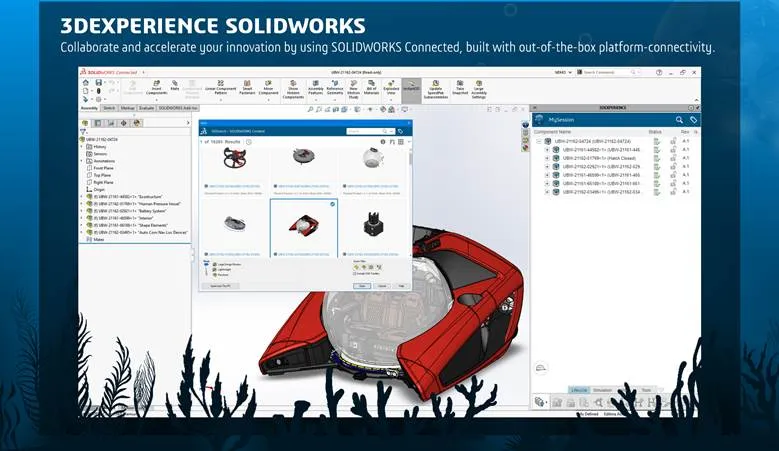
SOLIDWORKS has its own integrated libraries that are available, as well as libraries that can easily be imported from external resources or partner products. There are also many compatible partner products to populate the library with manufacturer parts, symbols, DWGs, and more.
Add-ins
Both programs come with a slew of add-ons and supporting software to expand the reach past the 3D modeling space. If your team expects to grow and take control over more steps in the connected design process, such as simulations, electrical integration, and creating marketing content, you can rest assured that there is a solution for you.
Cost Comparison
If you have been shopping around for your CAD software, you already know that none are cheap. Understandably so, since the digitization of these complex processes is a costly process.
SOLIDWORKS is the more affordable option out of the two, making it more accessible to individuals, students, and smaller businesses. As a rule of thumb, it is around a third of the cost of CATIA.
Find out more about the cost breakdown in our price guides:
Which One Should You Choose?
Choose CATIA if:
- You work in aerospace, automotive, or a large OEM supply chain
- You need advanced surfaces, complex curves, or Class-A geometry
- Your company requires enterprise-level PLM integration
- You’re collaborating with partners using CATIA
Choose SOLIDWORKS if:
- You want an intuitive, mainstream CAD solution
- You need fast modeling with a minimal learning curve
- You work in general manufacturing, product design, or engineering
- You need a lower cost of ownership
- You want access to a broad ecosystem of add-ins and training resources.
Key Takeaways of Comparing SOLIDWORKS vs CATIA
The two programs both share many similarities when it comes to modeling capabilities and are both excellent tools. CATIA is the high-end system for complex, large-scale engineering, while SOLIDWORKS is accessible, flexible, and a widely adopted choice for everyday product development.
If you have more questions about SOLIDWORKS, CATIA, and the 3DEXPERIENCE platform, book a consultation with our team, and we can help qualify the best fit for your business.

Related Software
SOLIDWORKS
SOLIDWORKS 3D CAD software includes design, simulation, technical communication, and data management features. Powering innovative design with specific tools that help you work more efficiently so you can make better design decisions.