Top 10 Benefits of Using DriveWorks to Configure Your SOLIDWORKS Models

The benefits of using DriveWorks to configure your SOLIDWORKS models go beyond just helping your team input data based on customer specifications. It is the ultimate CPQ software, allowing you to configure, price, and quote for manufacturing.
What that means is that it is not just about configuring your products to meet the exact needs of your customers. It’s also about leveraging the pricing information you have so that when you quote, it is accurate to your engineering and sales knowledge, with the speed you’d expect from automation.
Benefits of Using DriveWorks For SOLIDWORKS Models
1. Automating Repetitive Tasks
If you often need to modify existing products to meet the varying needs of your customers, or you manage a large number of configurations in your products that continue to grow, DriveWorks can help you by eliminating this tedious and manual process through rules-driven automation.
2. Reduce CAD and Quoting Errors
Do you use spec sheets, build sheets, or something similar when fulfilling quote requests?
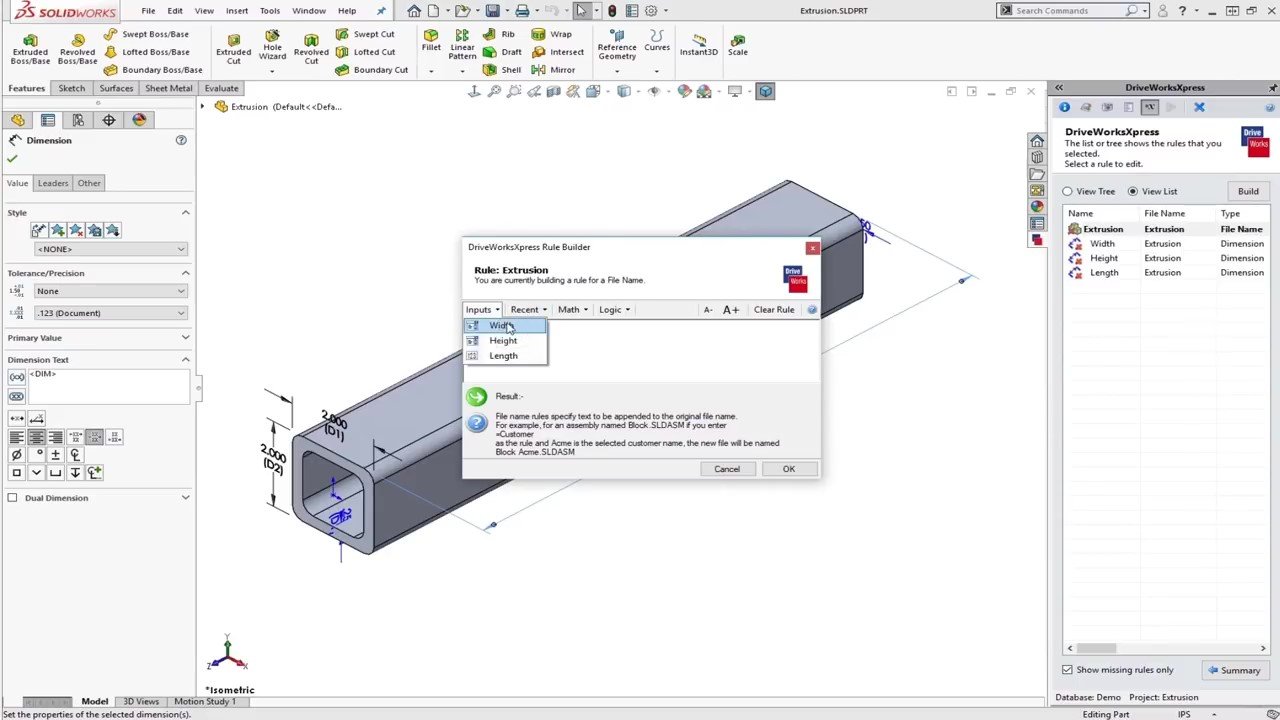
Eliminating human error when applying this information to your CAD and quotes is another major benefit of DriveWorks.
3. Reduce Lead Times
Do you work in an industry where quoting isn’t just about providing accurate information to your customers? DriveWorks can also help with getting your quotes out to customers faster. In industries where a late quote response can cause your company to not be considered for a project, DriveWorks can accelerate error-free quote turnarounds.
4. Enable Your Sales Team
Another great aspect of DriveWorks is the comprehensive forms that can be built for your products.

This can enable your sales team to get their quotes to customers without needing to run anything by engineering.
5. Standardize Products and Processes
Because DriveWorks is a rules-based tool, after implementation, you can also expect to have your products and processes standardized.
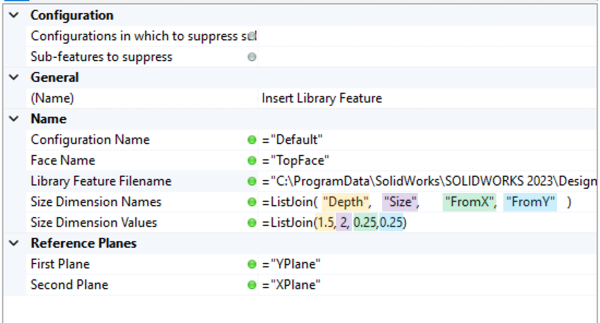
This can help to prevent any data management issues you may face.
6. Increase Productivity
An often-overlooked benefit of DriveWorks is the increase in productivity it can provide. This increase doesn’t apply to just the tasks that DriveWorks can automate, but it can apply to any of those projects your company hasn’t had time to pursue.
7. Accelerate & Improve Your Manufacturing Data
While DriveWorks is a CPQ tool that can accelerate the process of getting your quotes processed, it doesn’t stop there. The same automation can be leveraged after the quoting process to get your manufacturing data generated and sent out. This can include anything like manufacturing drawings and bills of material to automatically generating G-code.
8. Capture Engineering Knowledge in Rules
It’s not uncommon for companies to have under-documented or completely undocumented information about their products.

Oftentimes, this internal knowledge might have a significant impact on how your products are quoted or manufactured. With DriveWorks rules-based automation, all your ‘tribal knowledge’ can be captured and utilized.
9. Integrate with Business Systems (ERP, CRM, CPQ)
A major consideration in any DriveWorks implementation is also going to be connecting it to any existing systems you might have. Whether you need that connection for updating and managing stock through bills of material, or if you are trying to pull and push part numbers, DriveWorks has you covered.
10. Create a Scalable, Web-Ready Product Configurator
A common end goal with DriveWorks is to have a web accessible configurator. Because DriveWorks is a modular suite of tools, you can always expand your functionality as you need. In general, DriveWorks is usually implemented in a phased approach, which also works well with its modular nature.
Improving SOLIDWORKS Automation with Custom Implementations
DriveWorks is a one-stop shop for collating both your engineering knowledge and sales & quoting information into a tool that can communicate with your existing systems. Capturing the knowledge and setting up models involves more than just uploading an existing assembly and calling it a day.
Our team of experts has years of experience helping companies implement DriveWorks to get the most out of their SOLIDWORKS automation goals. Why leave adoption and long-term sustainability up to chance when you can lean on our expertise to get the job done right from the start?

Related Software
DRIVEWORKS
DriveWorks is a Design Automation and Sales Configuration tool used by manufacturing companies large and small.