SOLIDWORKS vs Creo | Your Guide for Choosing Between CAD Platforms

Choosing the right CAD software is a foundational decision that affects design efficiency, collaboration, and long-term scalability. With many CAD platforms available, two frequently compared solutions are SOLIDWORKS and Creo.
Choosing SOLIDWORKS vs Creo requires examining what your organization currently requires and how you plan to operate in the future. This guide explores where these tools overlap, how they differ, and what considerations can help determine the best fit for your organization.
Comparing SOLIDWORKS vs Creo
At a high level, SOLIDWORKS and Creo share several important similarities. Both are feature-based, parametric 3D CAD systems that support part modeling, assemblies, and 2D drawings. Each platform also provides direct modeling capabilities to support flexible geometry edits later in the design process.
Both tools are developed by large software vendors offering extended portfolios that include simulation, manufacturing, and product data management. These broader ecosystems allow organizations to expand beyond CAD into fully connected digital workflows.
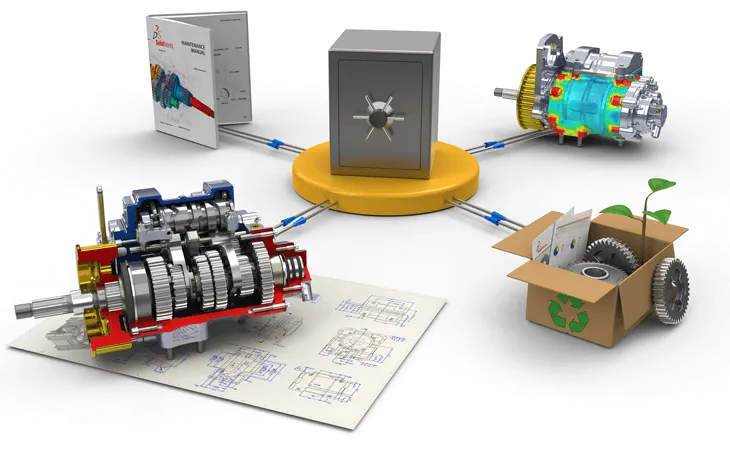
SOLIDWORKS and Creo are widely used across industries and support specialized design functionality such as sheet metal, weldments, routing, surfacing, and mold design. Each platform also integrates with dedicated PLM systems, SOLIDWORKS with SOLIDWORKS PDM and the 3DEXPERIENCE platform, and Creo with Windchill, to support revision control, collaboration, and lifecycle management.
What is Creo?
Creo is a professional 3D CAD solution developed by PTC and formerly known as Creo Parametric and Pro/Engineer. It is recognized for its robust parametric modeling engine and scalable architecture, allowing it to support both simple components and highly complex assemblies.
Creo includes integrated tools for design, simulation, and manufacturing, with optional modules that can be added as organizational needs evolve. The software offers capabilities for top-down design, large assembly management, and advanced engineering use cases.
CAD data within Creo can be managed locally or through PTC Windchill, which provides enterprise-level PLM functionality including version control, configuration management, and collaboration across distributed teams. Many praise Creo for complex engineering requirements; however, that requires a greater investment in training to make it worthwhile.
What is SOLIDWORKS?
SOLIDWORKS is an enterprise-grade, Windows-based 3D CAD application developed by Dassault Systèmes. Since its introduction in the mid-1990s, it has become one of the most widely adopted professional CAD tools in the world.
SOLIDWORKS delivers powerful parametric modeling capabilities through an intuitive and approachable user interface. It enables engineers and designers to efficiently create parts, assemblies, and production-ready drawings while maintaining design intent.

One of SOLIDWORKS’ defining strengths is its usability. The platform is designed to reduce the learning curve for new users while still providing advanced capabilities for experienced designers. Its extensive feature set includes specialized tools for sheet metal, weldments, routing, mold design, and large assembly management.

SOLIDWORKS integrates with a wide range of solutions for simulation, manufacturing, automation, and data management. In addition to traditional PDM offerings, SOLIDWORKS connects with the 3DEXPERIENCE platform, enabling cloud-based collaboration, PLM, and advanced simulation capabilities.
Why Choose Creo?
Creo works seamlessly with Windchill for PLM, supporting secure data management, revision control, and cross-functional collaboration. It also integrates with other PTC technologies, locking you into a more closed ecosystem.
Creo also includes robust direct modeling tools that allow users to create or modify geometry without depending on parametric history. This can be advantageous for concept development, rapid changes, and working with imported geometry. However, this becomes challenging when trying to review a feature history or lock down key dimensions for manufacturing.
Why Use SOLIDWORKS?
SOLIDWORKS is frequently chosen for its balance of capability, usability, and accessibility. This widespread adoption makes it easier to find trained talent, access learning resources, and collaborate with suppliers and partners.
If you bring someone in completely new, SOLIDWORKS enables faster onboarding of new users and supports productivity in fast-paced design environments. Additionally, SOLIDWORKS provides strong parametric modeling tools alongside direct editing capabilities. These tools make it easier to accommodate late-stage changes, update imported geometry, and manage moderately large assemblies efficiently.

The SOLIDWORKS ecosystem includes built-in capabilities for simulation, electrical design, CAM, MBD, and automation through tools such as DriveWorks. Data management solutions support secure data storage, version control, and workflow management, while the 3DEXPERIENCE platform extends these capabilities into the cloud.
How TriMech Helps with SOLIDWORKS
The TriMech Group is committed to helping you get up to speed with SOLIDWORKS and supporting your long-term growth. Our hundreds of technical experts spread across many SOLIDWORKS disciplines can help you solve your toughest challenges. Whether through a certified SOLIDWORKS training course or dedicated technical support, you can lean on our expertise to make the transition to SOLIDWORKS seamless.
Still Deciding on Creo vs SOLIDWORKS?
Both SOLIDWORKS and PTC Creo are well-established CAD platforms with decades of development behind them. Each offers powerful tools for design and engineering, but the best choice depends on factors such as design complexity, scalability requirements, ease of use, and software ecosystem alignment.
Many organizations want a software that meets their needs now but is able to grow with them as they scale. Often, we see clients who start with another CAD platform and switch to SOLIDWORKS down the line to better meet their company’s requirements.
Ultimately, the choice between Creo and SOLIDWORKS is yours, but TriMech is here to help support that decision.
To learn more about SOLIDWORKS and determine whether it is the right fit for your organization, explore professional SOLIDWORKS solutions and speak with a CAD solutions expert.

Related Software
SOLIDWORKS
SOLIDWORKS 3D CAD software includes design, simulation, technical communication, and data management features. Powering innovative design with specific tools that help you work more efficiently so you can make better design decisions.