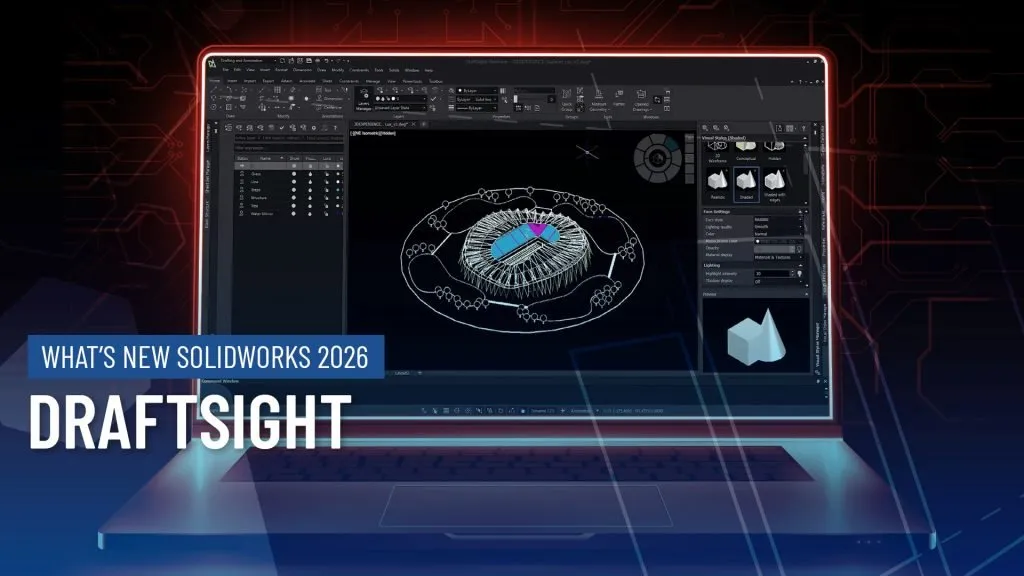
DraftSight | What’s New in SOLIDWORKS 2026
SOLIDWORKS 2026 introduces a suite of enhancements that elevate 2D workflows to new levels of precision, flexibility, and efficiency. Whether you’re scaling up your drawing environment or automating repetitive tasks, DraftSight 2026 empowers you to work smarter thanks to streamlined workflows.
Come explore the standout features in DraftSight 2026 that make this year’s release a must-have for companies looking for a competitive edge.
Improved Start Page
DraftSight Premium users now benefit from a redesigned start page that prioritizes accessibility and customization. DraftSight users can quickly locate recent drawings via graphical previews or list views, favorite frequently used files, and perform instant searches.
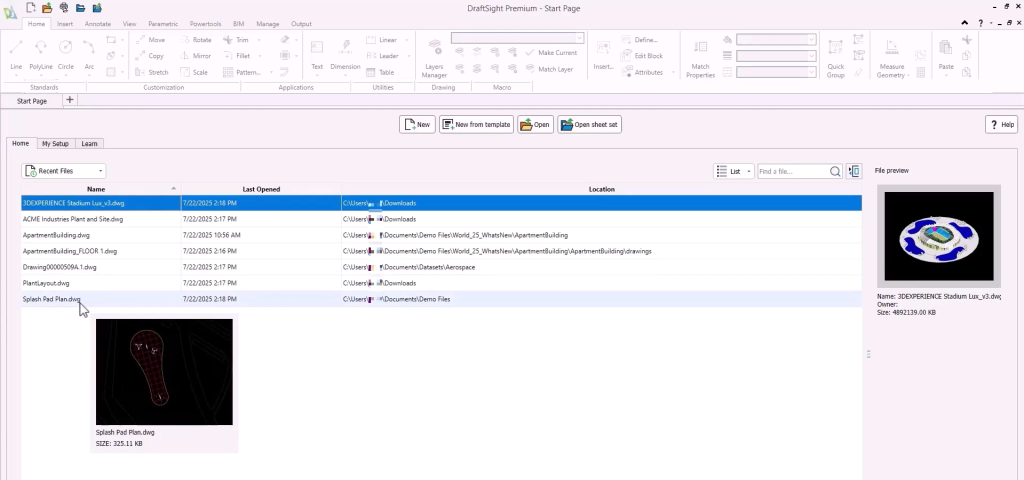
DraftSight 2026’s new Start page
The Learn tab offers direct access to educational resources, while the My Setup panel lets users configure interface styles, cursor preferences, and default templates all from one central hub.
DraftSight Power Tools
The new Power Tools in DraftSight Premium and Enterprise Plus automate common tasks, echoing the functionality of Express Tools familiar to AutoCAD users. Highlights include a pattern hatch tool that converts custom blocks into hatches without manual scripting and a Lisp Explorer for locating routines.

Power Tools tab of the Command Manager
Users can also export the settings tool for sharing configurations across teams. These tools are ideal for engineers looking to standardize workflows or accelerate drawing setup.
Multi-Monitor Support with Floating Windows
Multi-monitor setups are now fully supported with floating document windows. Designers can undock panels and move them to separate screens, allowing for simultaneous reference and editing. This is particularly useful for large-scale projects where visual clarity and workspace segmentation are critical. The interface remains consistent across displays, ensuring no loss of functionality or navigation.
Diesel Expressions for Dynamic Data
Diesel Expressions (Direct Interpretively Evaluated String Expression Language) enable engineers to extract dynamic data from drawings, such as file paths or names, without relying on external Lisp routines.

Diesel Expression created to extract file path
These expressions are embedded within the DWG file, ensuring portability and consistency across systems. Ideal for small automation tasks, Diesel Expressions offer a lightweight alternative to full scripting.
Pattern and Gradient Ribbons
DraftSight 2026 introduces new ribbon interfaces for pattern creation and gradient hatching. Drafters can now dynamically adjust spacing, count, and layout of patterns without toggling between preview and undo commands.
The gradient tool allows for intuitive color selection and layering, making it easier to visualize materials or highlight design elements. These enhancements simplify visual communication in technical drawings.
ECW File Support
Enhanced Compression Wavelet (ECW) files, commonly used for satellite imagery and aerial photography, can now be attached directly within DraftSight 2026. Engineers working in civil or architectural domains can scale and align these images using recognizable elements like car parks, then overlay blocks for validation. This feature supports accurate site planning and contextual design referencing.
DraftSight BIM Module
Introduced in DraftSight 2025 SP3, the BIM module continues to evolve in 2026. Engineers can now interact with Revit and IFC models without needing a separate license. Floor plans, elevations, and material take-off lists can be generated directly from imported BIM data. The live link ensures that updates to the original model are reflected in DraftSight, enabling real-time collaboration and reporting.
Upgrading to Draftsight 2026
SOLIDWORKS 2026 delivers meaningful improvements that simplify 2D design while enhancing control and integration. From a more intuitive starting screen to powerful Diesel automation and standard file support, these updates reflect the evolving needs of professional engineers.
Whether you need assistance during the upgrade process or just want to explore these great new enhancements, TriMech is your trusted technical partner. Our team is here to help ensure that upgrading to SOLIDWORKS 2026 is one of the best decisions you make.
To learn more about SOLIDWORKS 2026 and get a trial, click here.