By
By Selecting the appropriate DriveWorks license initially might seem overwhelming, with choices like Xpress, Solo, and Pro, as well as various deployment options, such as fixed or floating licenses.
Once you grasp the purpose of each license, making the right choice becomes significantly simpler. This guide explains the most common DriveWorks license options and helps you choose the best for your team today, while also preparing for future growth.
Core DriveWorks Licenses
At its core, DriveWorks is separated into three main licenses. Each license has its use case depending on the scale and complexity of your design automation needs.
DriveWorks Xpress (Entry-Level/Built into SOLIDWORKS)
DriveWorksXpress is bundled with SOLIDWORKS and serves as a beginner-friendly tool for exploring design automation. It enables users to create simple, form-driven models and produce configurations based on user input.
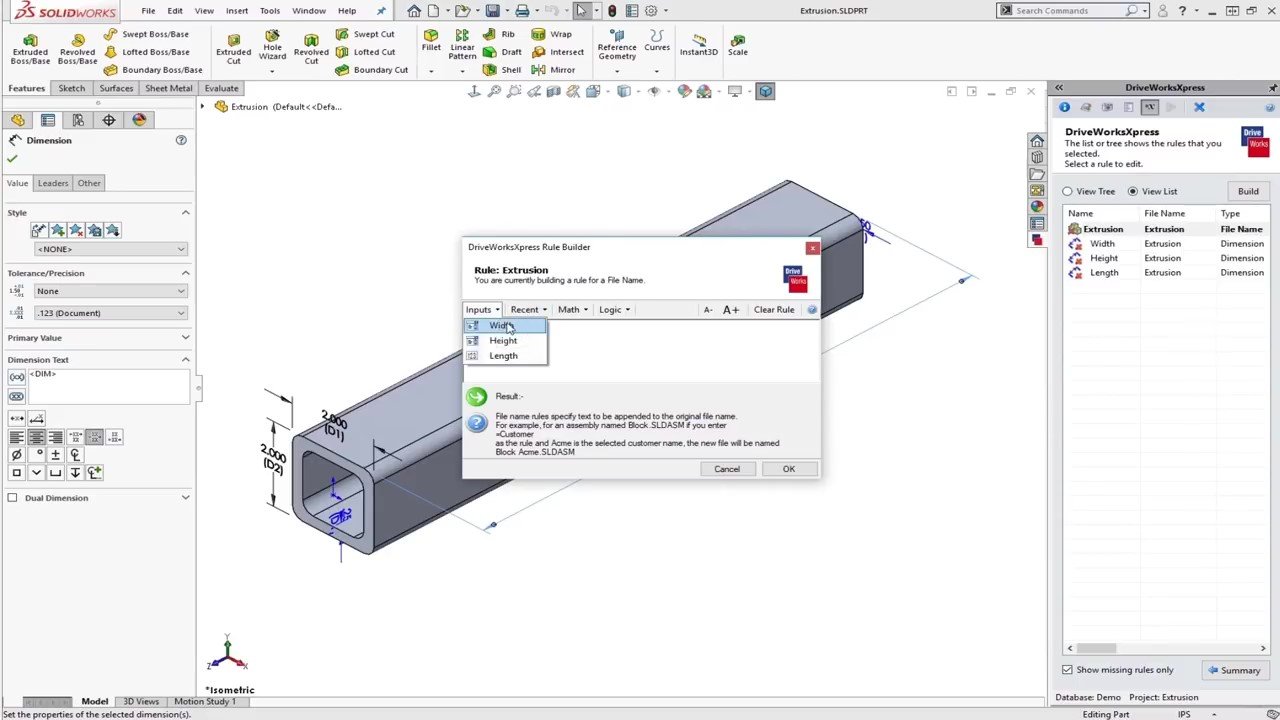
However, its capabilities are limited in scope and scalability. For more advanced workflows, such as managing assemblies, drawings, product rules, output documents, quoting, web forms, and complex controls, users typically start with DriveWorksXpress before quickly outgrowing it.
DriveWorks Xpress is Best For
- Automation beginners
- Single-part automations
- Initial DriveWorks exploration
DriveWorks Solo (Individual Automation Power)
DriveWorks Solo is tailored for a single user seeking greater control and advanced features compared to Xpress. It offers more complex rules, a robust project structure, and professional automation workflows.
While Solo represents a significant improvement, it remains designed for individual use. When collaboration among multiple engineers, shared projects, structured management, or customer-facing automation becomes necessary, teams typically move beyond Solo.
DriveWorks Solo is Best For
- A single engineer automating internal design tasks
- Repetitive custom work
- Small-scale automation needs
DriveWorks Pro (The Professional and Scalable Option)
DriveWorks Pro is where DriveWorks transforms into a genuine automation and product configuration platform for businesses. It’s tailored for teams aiming to standardize processes, minimize repetitive CAD tasks, improve accuracy, and develop automated solutions that scale across departments.
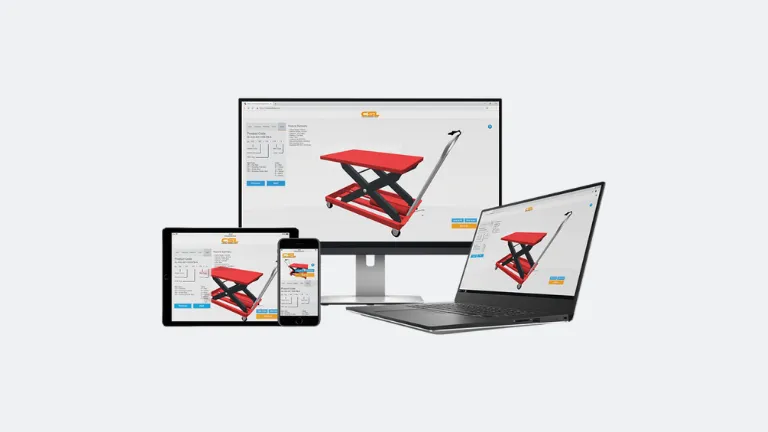
Accessing DriveWorks Pro from any device
With Pro, you unlock the entire ecosystem, including shared projects, advanced rules, increased deployment flexibility, and support for extra modules like DriveWorks Live and Autopilot. It’s also the most future-proof choice if you intend to expand your automation from simply assisting engineering to fully streamlining sales to production processes.
DriveWorks Pro is Best For
- Engineering teams
- Automation at scale
- Standardized workflows
- Extending beyond CAD-only automation
Extending Automation with DriveWorks Pro Add-Ons
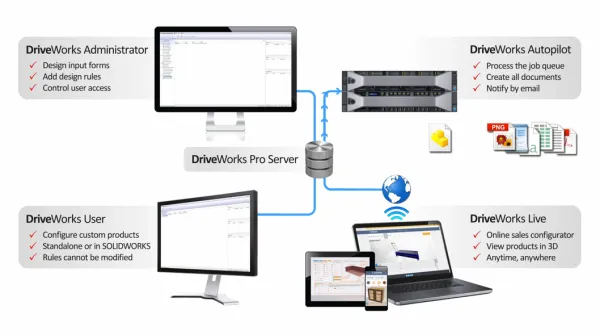
A simple way to understand DriveWorks licensing is to think of DriveWorks Pro as a collection of modules tailored for different users. DriveWorks Pro comprises four main modules: Administrator, User, Autopilot, and Live.
DriveWorks Administrator
DriveWorks Administrator is the central module of DriveWorks Pro where you create, configure, test, and maintain your automation projects. It also allows you to manage group structures and control access, distinguishing between users who can edit projects and those who can only run them (based on users, teams, and permissions).
DriveWorks User
DriveWorks User is intended for individuals who need to run DriveWorks configurator projects but do not need to build or modify them. It provides a secure way for internal teams to produce consistent results using rules and forms configured in DriveWorks Administrator, promoting standardization and accuracy without granting full authoring permissions.
DriveWorks Autopilot
DriveWorks Autopilot is the automation engine that can process configurator requests automatically, without occupying someone’s workstation. Autopilot can automatically produce outputs, such as models, drawings, PDFs, DXFs, and more. This helps reduce delays and improve consistency.
DriveWorks Live
DriveWorks Live lets you run configurators in a web browser. This is perfect for scenarios where automation is needed outside SOLIDWORKS, such as enabling sales teams to configure products or letting customers submit custom options online.

Fixed vs Network vs Centralized vs On-Demand Licensing and Deployment
A key decision in implementing DriveWorks is determining the licensing environment and how the licenses are allocated.
- Fixed: Assigned to one specific machine, it works best when the same person consistently uses DriveWorks on the same workstation. This is common for both Administrator and User roles, and it is also necessary for Autopilot.
- Network: Licenses are shared from a license server and used only while someone is running DriveWorks. Ideal for teams where multiple users need access, but not simultaneously. Available for Administrator and User.
- Centralized: Controls the number of DriveWorks Live web sessions that can run simultaneously. Ideal when you want configurators accessible through a browser for sales teams or customers.
- On-Demand: Provides additional “burst” capacity beyond your Centralized limit during peak usage, ensuring your web configurators remain accessible when demand spikes.
What DriveWorks License is Right for You?
The right DriveWorks license for your team depends on the scale and complexity of the design automation required. If you’re just exploring options, then DriveWorks Xpress might work, but if you want large-scale, web-enabled product configuration, then DriveWorks Pro would be a better fit.
If you want a better understanding of which DriveWorks license option suits your team best, we’re happy to assist in assessing your goals, current workflow, and future expansion plans. Reach out to us to discuss your needs and ensure you choose the right setup from the beginning.

Related Software
DRIVEWORKS
DriveWorks is a Design Automation and Sales Configuration tool used by manufacturing companies large and small.